Wallpaper, colors and light/dark
Change the look through the settings.
On this page
Find the right settings
Click the gear icon in the taskbar. The sections on the left split the design into separate tasks.
- Background: Choose the picture for your desktop.
- Appearance: Switch between the light and dark look, adjust the accent color, pick matching app themes and set the corner radius and gaps of windows.
- Taskbar & start menu: Adjust the taskbar, the weather display and the start menu sidebar.
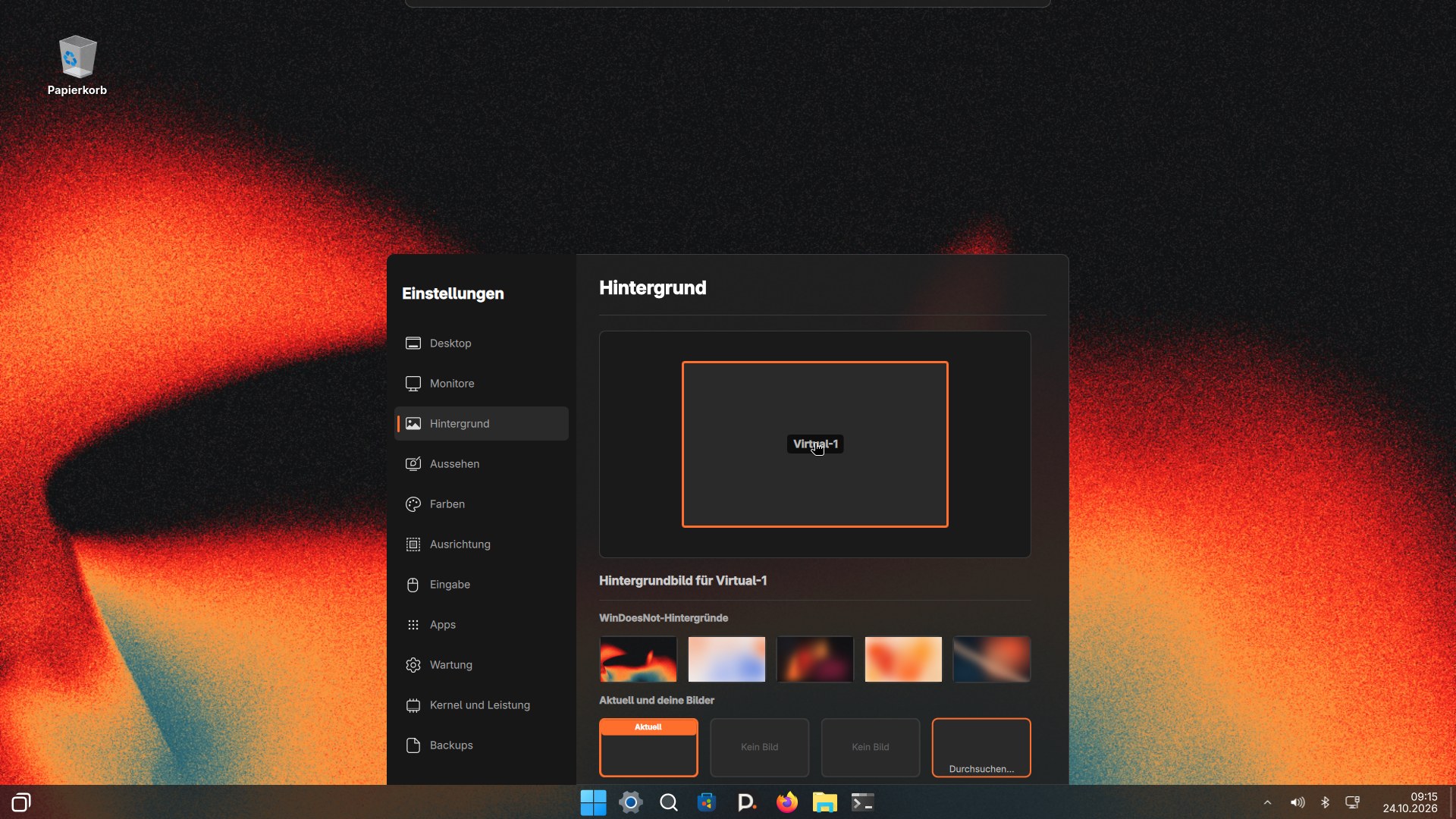
Why some programs look different
Programs can use their own styling. Desktop colors and the accent color are therefore not automatically adopted by every app. WinDoesNot also applies the chosen accent color to Nautilus, the file manager. Under Appearance, choose the matching light or dark app theme as well. If a program still looks different, check its own settings.
Changing the accent color applies immediately. Open Nautilus windows may be closed in the process; the next window uses the new color. Firefox and other programs pick the color up after a restart.
Login screen
Under Background, choose the login screen design: Cinder (also without animation), Fire, Glut Dunkel or Silent. Silent always shows your current wallpaper from the main monitor.
Bootloader theme
The bootloader is the menu that appears right when you switch on. For rEFInd, Limine and GRUB, WinDoesNot ships its own theme: WinDoesNot logo, background and a clearly visible selection. If you prefer the default look of the bootloader, turn the theme off under Settings → Background → Bootloader theme. systemd-boot has no visual theme, so nothing changes there.
If the background is missing
If the wallpaper service crashes on your computer, for example without 3D acceleration in a virtual machine, the desktop shows a plain solid color instead. Your chosen picture stays saved.
The pictures on this website show older original recordings. Individual switches and labels may already look different in the current version.
As of 9 November 2026 · This help describes version 0.1.0-27. Individual features and labels may change.
← More help topicsReport a problem →