Choose programs in the installer
Pick web apps, ArtCraft, a shell and more programs before installing.
On this page
The "Programs" page
On the Programs page of the installer you pick a profile and tick programs on or off. Whatever has to be downloaded arrives after the installation, as soon as you are online. The Store shows what is still waiting to be installed.
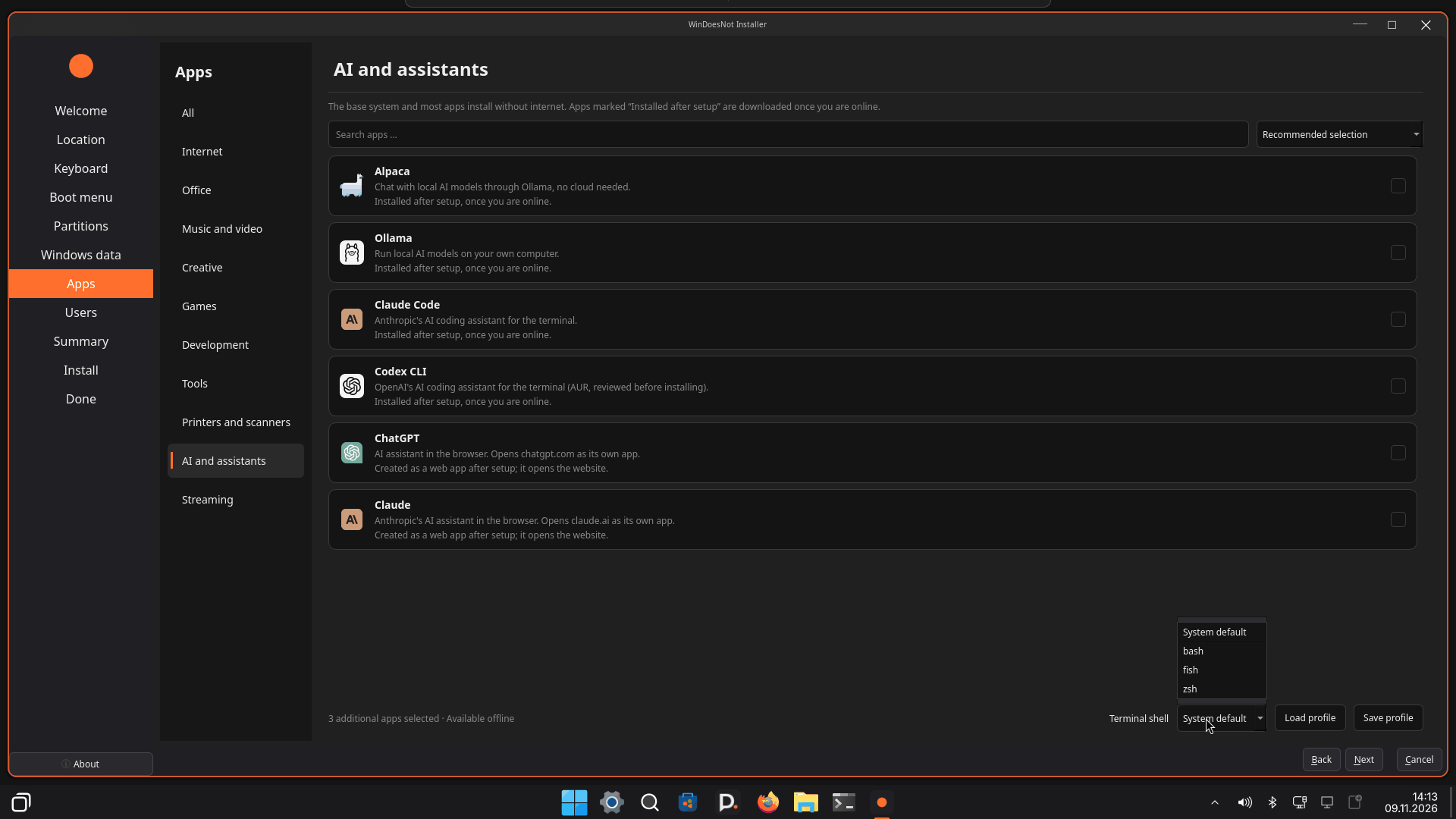
Web apps
Web apps such as Netflix, YouTube, WhatsApp Web, ChatGPT or Claude are websites that run like a program. They open in their own window without an address bar or tabs and have an icon in the start menu. You find them there like any other app and can pin them. They are set up after the installation.
ArtCraft
The program list also offers the ArtCraft programs: the launcher plus PdfCraft, PhotoCraft, VectorCraft, FilmCraft and Alpha. They are downloaded only after the installation so the ISO stays small and you save space. The packages are installed without a signature check. Choose them only if you trust the source.
Shell: Bash, Fish or Zsh
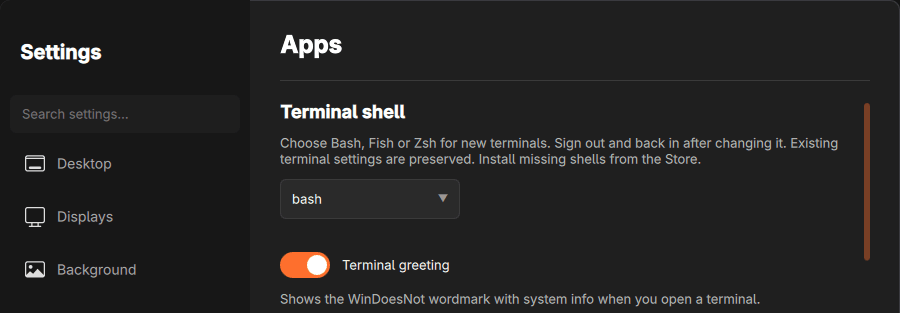
The shell is the program in the terminal that takes your commands. In the installer you choose Bash, Fish or Zsh. If you are unsure, keep the suggestion. You can change it later under Settings → Apps → Terminal shell.
More programs
You can also pre-select Google Chrome, Sublime Text and AI tools here. Everything else you install later in the Store.
As of 9 November 2026 · This help describes version 0.1.0-27. Individual features and labels may change.
← More help topicsReport a problem →